


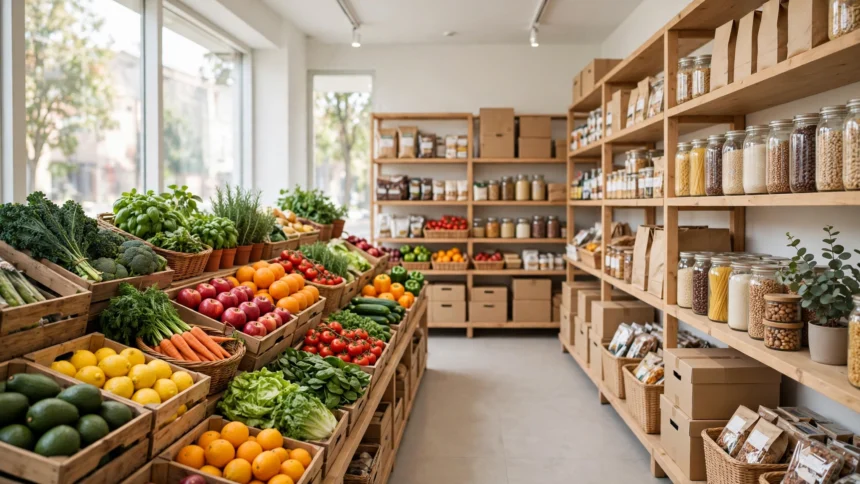
A small grocery store does not lose money in dramatic ways. It loses it quietly: a shelf empty when a regular customer comes for one item, fresh stock thrown away because nobody noticed the date, and a queue at the till that sends the next customer elsewhere. None of these looks like a technology problem. Taken together, they are exactly what smart retailing is meant to fix — at a scale a small store can afford.
- What Smart Grocery Retailing Means for a Small Store
- The 3 Problems Smart Retail Actually Solves
- 1. Stockouts — the Empty Shelf
- 2. Waste — Food Bought and Then Thrown Away
- 3. Slow Checkout — the Queue That Costs Customers
- Low-Cost Starting Points: Basics Before Clever Shelves
- Start With a Barcode and a Stock List
- Fix the Shelf Labels and Prices First
- Order From Sales, Not From Memory
- Add a Second Till Routine, Not a Second Till
- Only Then Consider the Next Step
- A Simple First-Month Plan
- Week 1: Count and Label
- Week 2: Start the Records
- Week 3: Fix the Till Routine
- Week 4: Review the Numbers
- How to Measure It: Three Numbers
- What to Skip Until the Store Is Bigger
- Common Mistakes to Avoid
- Staff, Regulars and the Human Side
- The Bottom Line
- Frequently Asked Questions
Smart grocery retailing for small stores is often sold as shelves that watch themselves and shops with no tills at all. A small store does not need any of that. It needs three things working a little better: knowing what is in stock, getting customers through the till faster, and wasting less of what it buys. This guide explains what smart retailing really means for a shop of this size, where to start without spending much, how to tell whether it is working, and what to leave alone until the store is bigger.
What Smart Grocery Retailing Means for a Small Store
The word “smart” does a lot of confusing work in retail. In a big supermarket chain it can mean cameras above the shelves, sensors that count stock by themselves, and software that predicts what will sell next week. In a small store it should mean something much simpler: the owner knows what is selling, what is running out, and what is being wasted — and acts on that knowledge before it costs money.
Think of it as a habit supported by simple tools, not a system bought in a box. A store that writes down what it sells, checks its shelves every day, and orders from those records is already retailing smartly. A store that buys an expensive system and never looks at its numbers is not, no matter how modern the equipment looks.
The difference matters because small stores work on thin margins and short tempers. There is no head office to absorb a bad week, no spare staff to fix a broken process, and no room for a tool that takes longer to run than the job it was meant to speed up. Every change has to earn its place by saving time, saving stock, or keeping a customer. If it does none of those three, it does not belong in a small store yet.
That is also why this guide keeps coming back to the same order of work: fix the basics first, measure three simple numbers, and only then consider anything cleverer. The stores that do well with retail technology are almost always the ones that already had tidy shelves and honest records before they bought anything.
The 3 Problems Smart Retail Actually Solves
Smart retailing earns its keep by solving three specific problems. They are ordinary, they happen every day, and they are the reason regular customers drift away without ever complaining.
1. Stockouts — the Empty Shelf
A stockout is not just a missed sale. When a customer cannot find the milk, rice or bread they came for, they often leave without the rest of their basket too. After two or three such visits, they stop coming at all — and they rarely tell you why. They simply start shopping somewhere else.
The cause is usually simple: nobody knows exactly what is on the shelf. Stock is counted from memory, deliveries are checked by eye, and the best-selling items run out first because they are the ones everyone assumes are still there. A small store feels this more than a big one, because it has fewer shelves and fewer backup packs in the back room. One empty shelf is a larger share of what the shop offers.
Smart retailing starts by making stock visible — one up-to-date list of what is in the store and what is running low. It does not have to be a computer system. A daily count of the fastest-selling lines, written down and checked before ordering, does the same job for a shop with a few hundred products. The point is that the list exists, it is current, and someone actually looks at it before the supplier is called.
There is a second, quieter benefit. When stock is visible, the owner stops guessing. The shop stops ordering items that are already sitting in the back room, and it stops running out of the things people actually ask for. Over a month, that shift alone is often worth more than any new piece of equipment.
2. Waste — Food Bought and Then Thrown Away
Fresh food is where a small store’s money is most easily lost. Fruit, vegetables, dairy and bread have short lives. Order too much and it spoils before it sells. Order too little and the shelf is empty. Either way, the store pays.
Most waste comes from ordering by habit rather than by record — the same quantity every week, even though sales have changed. A line that sold well in summer may crawl in winter. A promotion last month may have doubled sales for one week and then stopped. If the order never changes to match, the bin fills up with food that was bought in good faith and thrown away in silence.
The fix is not complicated, but it does need a small weekly habit: write down what was thrown away, and why. Was it past its date? Did it arrive damaged? Did it simply not sell? A few weeks of those notes usually show a pattern — two or three items causing most of the waste — and those are the items to order differently. The habit of looking at the numbers before ordering matters more than the technology used to record them.
It is worth saying plainly that some waste cannot be avoided. Fresh food spoils, customers change their minds, and a delivery can arrive in poor condition. The goal is not zero waste. The goal is waste that falls while the shelves stay full — proof that ordering is getting closer to what customers actually buy.
3. Slow Checkout — the Queue That Costs Customers
A long queue at the till does two kinds of damage. Some customers put their basket down and leave. Others stay, but they remember the wait, and next time they go somewhere faster. In a small store, checkout is slow for ordinary reasons: prices that have to be looked up, barcodes that do not scan, and a till only one person knows how to use.
Nobody opens a small grocery store dreaming about till speed, but customers judge a shop by it every single visit. A shop with good prices and a slow till still feels like a chore. A shop with fair prices and a quick, friendly till feels easy — and easy is what brings people back on a busy evening.
Speeding up checkout does not require a self-service machine. It requires prices that are right, barcodes that scan the first time, and a till routine every member of staff can follow. Those three things cost almost nothing, and they are the foundation everything else is built on. A self-checkout in a shop where prices are wrong will only let customers discover the errors faster.
Low-Cost Starting Points: Basics Before Clever Shelves
The most common mistake is buying the clever part first. Start with the cheapest steps that fix the three problems above, and only spend more once those are working. Each step below can be done in a week, and each one pays for itself in time or stock saved.
Start With a Barcode and a Stock List
Every item gets a barcode, and every sale and delivery is recorded against it. A basic point-of-sale system, or even a careful spreadsheet kept daily, gives the store its first true picture of what sells and what is running out.
The important part is not the software. It is the discipline of recording every delivery on the day it arrives and checking the list before every order. A stock list that is two weeks out of date is worse than no list at all, because it gives false confidence. If the store cannot keep the list current, it should keep the list smaller — track the hundred fastest-selling items properly rather than a thousand items badly.
Fix the Shelf Labels and Prices First
Before any new equipment, check that every shelf label matches the till price. Mismatched prices are the most common cause of slow checkouts: the till beeps, the price looks wrong, someone has to be called, and the queue grows. A weekly check of ten items, rotated through the shop, catches most errors before customers do.
This is also the cheapest trust-builder a store has. Customers notice when the price on the shelf is the price at the till, and they notice even more when it is not. A shop that gets prices right feels honest, and honesty is worth more than a loyalty scheme.
Order From Sales, Not From Memory
Build the order from the last two weeks of sales, plus what is already in stock. If an item sold 40 units in two weeks and 10 are left, order roughly 30 — not the 50 that was always ordered. That single change, repeated across the fastest-selling lines, is usually the biggest single cut in waste a small store can make.
Ordering this way also connects directly to how a store buys. A clear, written order — what is needed, how much, from which supplier — is the small-store version of the same discipline bigger businesses call purchase order automation: fewer duplicate orders, fewer forgotten items, and a record of what was actually asked for. The tool can be a notebook. The habit is what matters.
Add a Second Till Routine, Not a Second Till
Train a second member of staff to run the till, and agree on what happens at busy times: who opens the till, who packs, who answers questions. Many small stores are slow at the till because only one person can run it, and when that person is on a break, the queue simply waits.
A written routine helps more than people expect. It does not need to be long: how to handle a price check, what to do when a barcode will not scan, and when to open a second till or call for help. When everyone follows the same steps, the till stops depending on one person’s memory.
Only Then Consider the Next Step
Once the stock list is accurate and the checkout is steady, a small store can add a record of regular customers’ usual purchases, a basic order list for collection, or a stock alert for items below a set level. None of them helps if the basic stock list is wrong — they only automate the same mistakes faster.
What a small store should not buy first is the technology that looks impressive in a demonstration: electronic shelf labels, cameras that track shoppers, or fully automated ordering. Those tools assume the basics are already right. Where they are not, they simply record the same mistakes faster, at a higher price.
| You may also like: |
|---|
| Supermaked: Complete Guide to the Future of Smart and Digital Grocery Stores |
| Purchase Order Automation: How It Improves Small Business Cash Flow |
A Simple First-Month Plan
A plan helps because “smarter retail” is too vague to act on. Here is a four-week version a small store can actually follow, one change at a time, without closing the shop or spending much.
Week 1: Count and Label
Count the fastest-selling 50 items and write down what is actually on the shelf. Check their shelf labels against the till price and fix every mismatch. This week is not glamorous, but it gives the store its first honest picture of itself. Most owners are surprised by at least a few items — something they thought was in stock that is not, or a price that has been wrong for weeks.
Week 2: Start the Records
Begin the daily stock record and the waste note. Every delivery is written down the day it arrives. Everything thrown away is written down with a one-line reason. Start the weekly order from the last two weeks of sales, not from habit. Keep it simple: a notebook by the till is enough if it is used every day.
Week 3: Fix the Till Routine
Train a second person on the till, agree the busy-time routine, and time ten checkouts in a busy hour. Fix the barcodes that do not scan and the prices that cause arguments. The goal this week is not speed for its own sake — it is a checkout that runs the same way no matter who is working.
Week 4: Review the Numbers
Look at the three numbers described below, compare them with week one, and decide what changed. If stockouts fell and waste fell, the ordering habit is working and the store can keep going. If nothing moved, the problem is usually that the records were not kept daily — and that is a habit to fix before buying anything.
One month is enough to prove the approach. It is not enough to prove a new piece of technology, and that is the point: the store should only spend money on tools once the free habits have shown they work.
How to Measure It: Three Numbers
A small store does not need a dashboard. It needs three numbers, checked once a week, written in the same notebook as the stock record.
1. Stockout Rate
Count the items that were out of stock at least once during the week, as a share of the items the store normally carries. If the store carries 800 items and 40 were out of stock, that is 5%. Watch the trend over four weeks. The goal is not zero — that would mean over-ordering everything — but a falling number, with the best-selling items almost never on the list.
The most useful version of this number is a short list, not a percentage: which ten items were out of stock most often? Those ten are the ordering problem, stated plainly. Fix them first, and the percentage will take care of itself.
2. Waste Percentage
The value of goods thrown away in the week, divided by the value of goods sold, times 100. If the store sold $5,000 of fresh food and threw away $250, that is 5%. If it falls while the stockout rate also falls, the ordering is genuinely improving. If waste falls but stockouts rise, the store is simply ordering too little — it has swapped one problem for another.
This number only works if the waste is actually recorded. A bin emptied without a note is a number lost, and a month of lost numbers is a month of guessing. The recording takes a minute a day. The guessing costs far more.
3. Average Checkout Time
Time ten checkouts in a busy hour, from the first item scanned to the payment finished, and take the average. If it falls from three minutes to two after prices and barcodes are fixed, customers notice. If it stays high, the problem is at the till, not on the shelves — and that tells the owner exactly where to look next.
These three numbers belong together. A store that only watches waste will under-order. A store that only watches stockouts will over-order. A store that watches all three, once a week, can see the trade-offs clearly and order with confidence.
A Worked Example
To make this concrete, take a small store that sells about $6,000 of fresh food a week and throws away $360 of it — a waste rate of 6%. By ordering from the last two weeks of sales instead of habit, suppose the store cuts waste to $240 a week while keeping the shelves full. That is $120 a week not thrown away in the illustration — but it is not a promised saving. It depends on the store changing its ordering, keeping its records daily, and suppliers delivering on time.
The same kind of thinking applies beyond the shop floor. Getting stock delivered on time, at a sensible cost, is part of the same chain — and small businesses that look at their delivery and transport costs often find the same pattern: the waste was never in one big item, but in small, repeated gaps nobody was measuring.
What to Skip Until the Store Is Bigger
Some things are right for a large supermarket and wrong for a small store — for now. Skip them until the store is bigger, and spend the money on the basics instead. The wider picture of where grocery technology is heading is worth knowing — see the guide to smart grocery stores for that context — but a small store should adopt it in its own order, not the supermarket’s.
Skip the Fully Automated Shelf
Electronic labels and sensor shelves save time in a store with thousands of items and prices that change daily. In a small store, a weekly price check does the same job for almost nothing. The labels also need someone to maintain them, and in a small team that someone is usually the owner, after closing time.
Skip a Delivery Fleet
Home delivery adds packing, driving and missed-delivery costs a small store cannot spread across many orders. A simple collection service — order by phone or message, collect at a set time — gives most of the benefit at a fraction of the cost. If customers ask for delivery, start with a small local area and a few set days, and see whether the orders cover the driving time before expanding.
Skip a Loyalty App
A printed card, or a simple record of regular customers, is enough until the store has enough regulars to make an app worth maintaining. An app nobody opens is not a loyalty programme; it is a monthly bill. What regulars actually want is to be recognised, to find their usual items in stock, and to get through the till quickly. Those are the habits above, not an app.
Skip the Big Data Promise
A small store does not need to predict demand with complex software. It needs to look at what sold last week before ordering this week. That habit beats a clever forecast nobody checks. When the store is bigger, with more lines and more history, forecasting tools start to earn their keep. Until then, last week’s sales are the best forecast available, and they are free.
The tools should follow the habit, not replace it. When the stock list is accurate, waste is falling and the checkout is fast, the numbers will show what is needed next — and the store will be ready for it.
| You may also like: |
|---|
| Backload Costs Explained: How Small Fleets Cut Empty Return Trips |
| Why Purchase Order Automation Requires More Than Traditional Project Management Tools |
Common Mistakes to Avoid
The first mistake is buying technology before fixing the process. If the stock list is wrong on paper, it will be wrong in software, only faster and more expensive. Spend a month on the notebook version first. If the habit survives a month, the tool will help. If it does not, the tool will only hide the problem.
The second mistake is trying to change everything at once. New till, new labels, new ordering system and new delivery service in the same week is how a small store ends up with four half-finished changes and a confused team. One change a week, done properly, beats four changes done badly.
The third mistake is judging the change after a few days. Habits take a month to settle, and the numbers need four weekly readings before they show a real trend. A single good week proves nothing, and a single bad week — a late delivery, a hot spell, a supplier short — proves nothing either. Give it one honest month before deciding.
The fourth mistake is forgetting the staff. A new routine that only the owner understands is not a routine; it is a secret. Every change should be explained in one minute, written in one place, and tried by the person who will actually do it. If the staff cannot run the till routine or keep the stock record, the system is too complicated for this store, whatever the brochure says.
Staff, Regulars and the Human Side
It is easy to write about smart retailing as if it were only about stock and tills. For a small store, the human side matters at least as much. Regular customers come back because someone knows their name, because their usual bread is on the shelf, and because the shop feels like their shop. No sensor can do that, and a store that chases technology at the expense of that feeling will lose the very thing that makes it different from a supermarket.
The best use of the time saved by better stock and faster checkout is to spend it with customers. A shopkeeper who is not hunting for a missing price or apologising for an empty shelf has time to ask a regular how they are, to suggest an alternative when something is out, or to notice that a new product might suit a familiar face. That is the real return on smart retailing: not a dashboard, but a calmer shop.
It also works the other way. Staff who understand why the records matter — because they stop the 6 p.m. rush from turning into a queue and a row of empty shelves — will keep them. Staff who are handed a new system with no explanation will quietly stop using it. The explanation takes a minute: we write it down so we stop running out of the things people actually want. That is a reason anyone can understand.
The Bottom Line
Smart grocery retailing for a small store is not about buying the newest technology. It is about three ordinary things done well: shelves that are rarely empty, fresh food that is sold before it spoils, and a till that does not keep customers waiting. Start with a barcode and an honest stock list, order from what actually sold, and measure three numbers a week. Add one change at a time, skip the impressive tools until the store is ready for them, and keep the human side of the shop intact.
A small store that does this will look like a shop whose regulars can always find what they came for — and that, more than any single piece of technology, is what smart retailing is for.
Frequently Asked Questions
1. What is smart grocery retailing for a small store?
It is the habit of using simple records and tools to keep shelves stocked, cut fresh-food waste and speed up checkout. For a small store it usually means a barcode system or daily stock list, ordering from actual sales, and correct shelf prices — not cameras, sensors or fully automated shelves.
2. How much does smart grocery retailing cost to start?
The first steps cost almost nothing: a notebook or spreadsheet for stock and waste records, a weekly price check, and a written till routine. A basic point-of-sale system is the usual first purchase, and it is worth buying only after the free habits have worked for a month.
3. Will smart retailing work in a very small shop?
Yes, and it often matters more there, because one empty shelf or one slow till is a bigger share of what a small shop offers. The methods in this guide are written for shops with a few hundred products, not supermarket chains, and they scale down to a single till and a small team.
4. What should a small store measure each week?
Three numbers: the stockout rate (items out of stock as a share of what the store carries), waste as a percentage of fresh-food sales, and the average checkout time in a busy hour. If waste falls while stockouts also fall, ordering is genuinely improving.
5. When should a small store buy advanced retail technology?
When the basics are already working: the stock list is accurate, waste is falling, the checkout is steady, and the weekly numbers show it. At that point tools like stock alerts, electronic labels or a collection service can help. Before that, they usually record the same mistakes faster, at a higher price.